See the work the way that fits
It's a Plan (itsaplan.dev) renders the same issues four ways: a board, a table, a timeline and a calendar. Filter on any field, group and order the layout, choose which columns show, then save it all as a view your team reuses. One dataset, whatever layout the work needs.
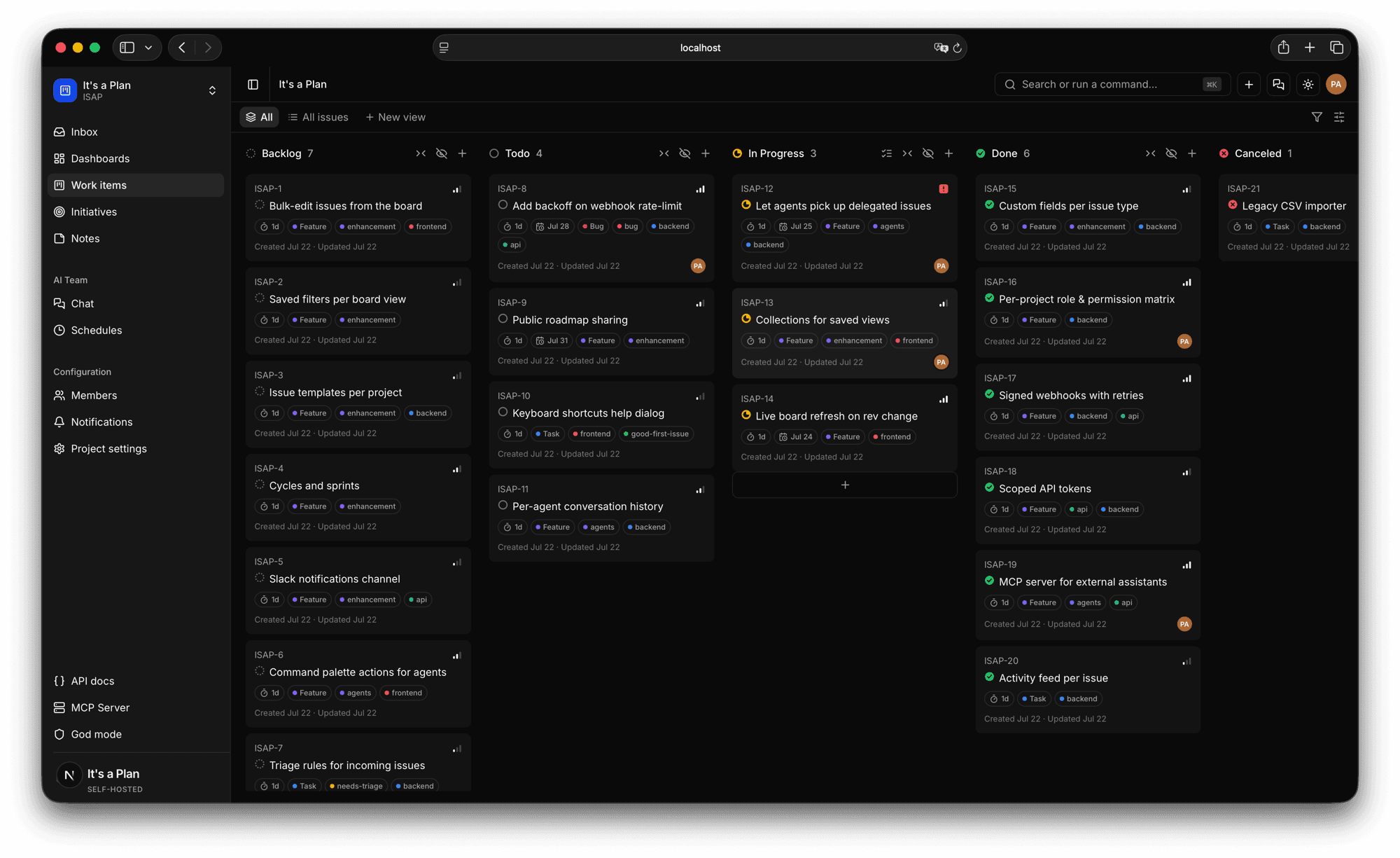
One dataset, four layouts
The same issues render as a board, a table, a timeline or a calendar. Switch layout without moving or duplicating anything.
- Board, table, timeline, calendar
- No re-entry between layouts
- Pick the layout the work needs
Filter on any field
Stack conditions on state, priority, assignee, labels or dates until the list shows exactly the work you mean.
- Combine any number of fields
- Narrow to a slice of work
- Group and order the result
Save it as a view
A view keeps both its filters and its display as one named thing you reuse with a click. Share any view as a public read-only page that needs no login.
- Filters and display, saved together
- Named views the team reuses
- Public read-only link, no login
Add backoff on webhook rate-limit
Due Jul 31
PAChange many at once
Select issues across columns and set status, priority, assignee or labels for all of them in one move, or archive and delete in bulk. The action bar shows how many are picked.
- Multi-select across columns
- Status, priority, assignee, labels in bulk
- Archive or delete together
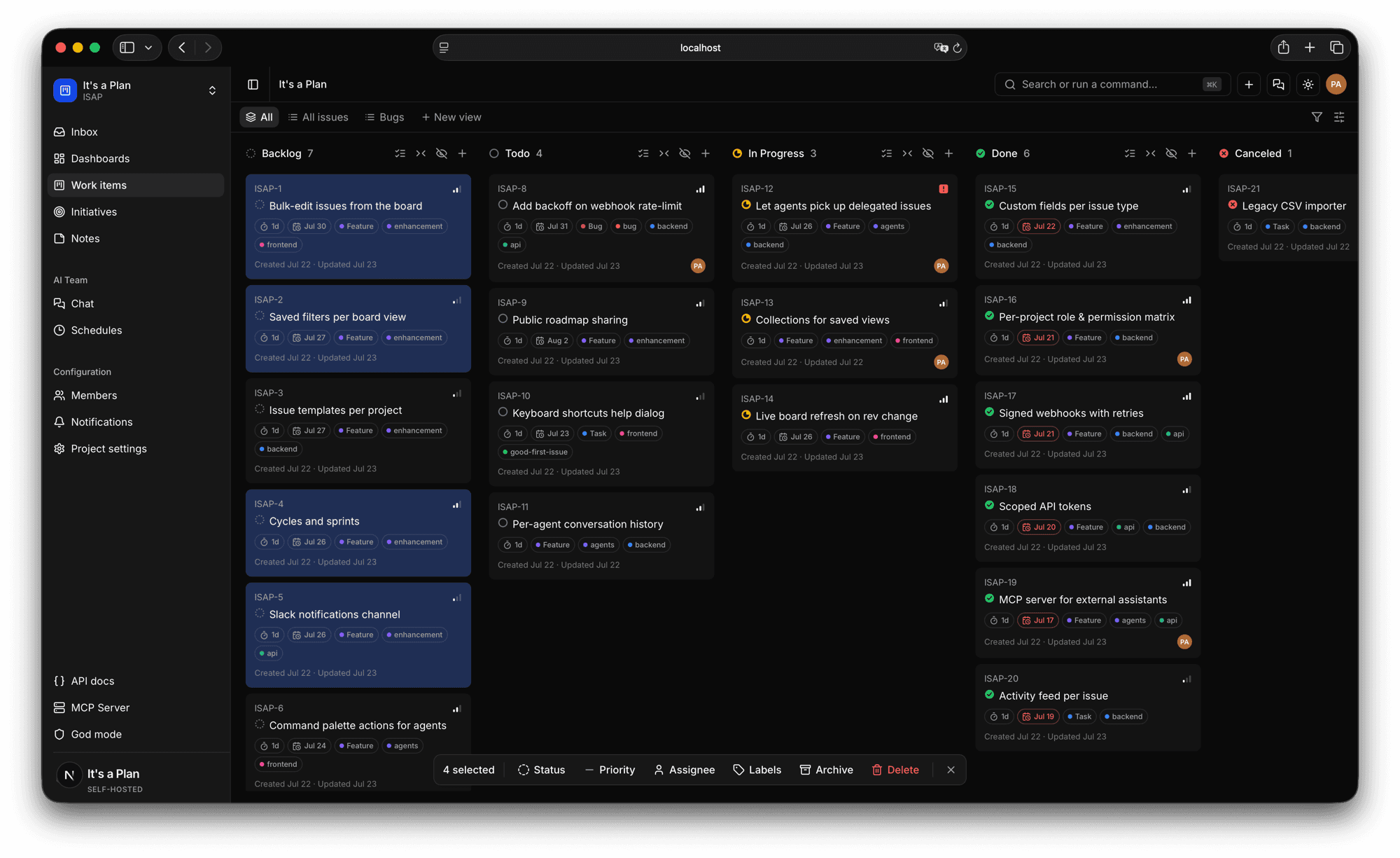
The rest of it
Public read-only link
Share a saved view as a read-only page on a unique link, no login needed.
Quick menu
Jump to any view from a fast command menu.
Two-level grouping
Group and sub-group, for example by state, then by assignee.
Flexible fields
Pick exactly which fields show on each view.
Start planning
on your own terms
Self-host it today and have your team tracking work by tonight.