A freeform canvas for sticky notes
Notes in It's a Plan (itsaplan.dev) are sticky notes on a freeform canvas, in the same project as your issues. A note takes rich text, checklists and one of eight colors, and you can draw a line between two notes to show how they connect. A project can hold several boards, and everyone on the project sees them.
A freeform canvas
Notes live on an infinite pane you pan and zoom. Drop a sticky anywhere, drag it where it belongs, and lock the layout once the shape is right.
- Infinite pan-and-zoom canvas
- Place notes anywhere
- Lock the layout when done
Onboarding rewrite
Import from Jira
Weekly digest email
Agent cost report
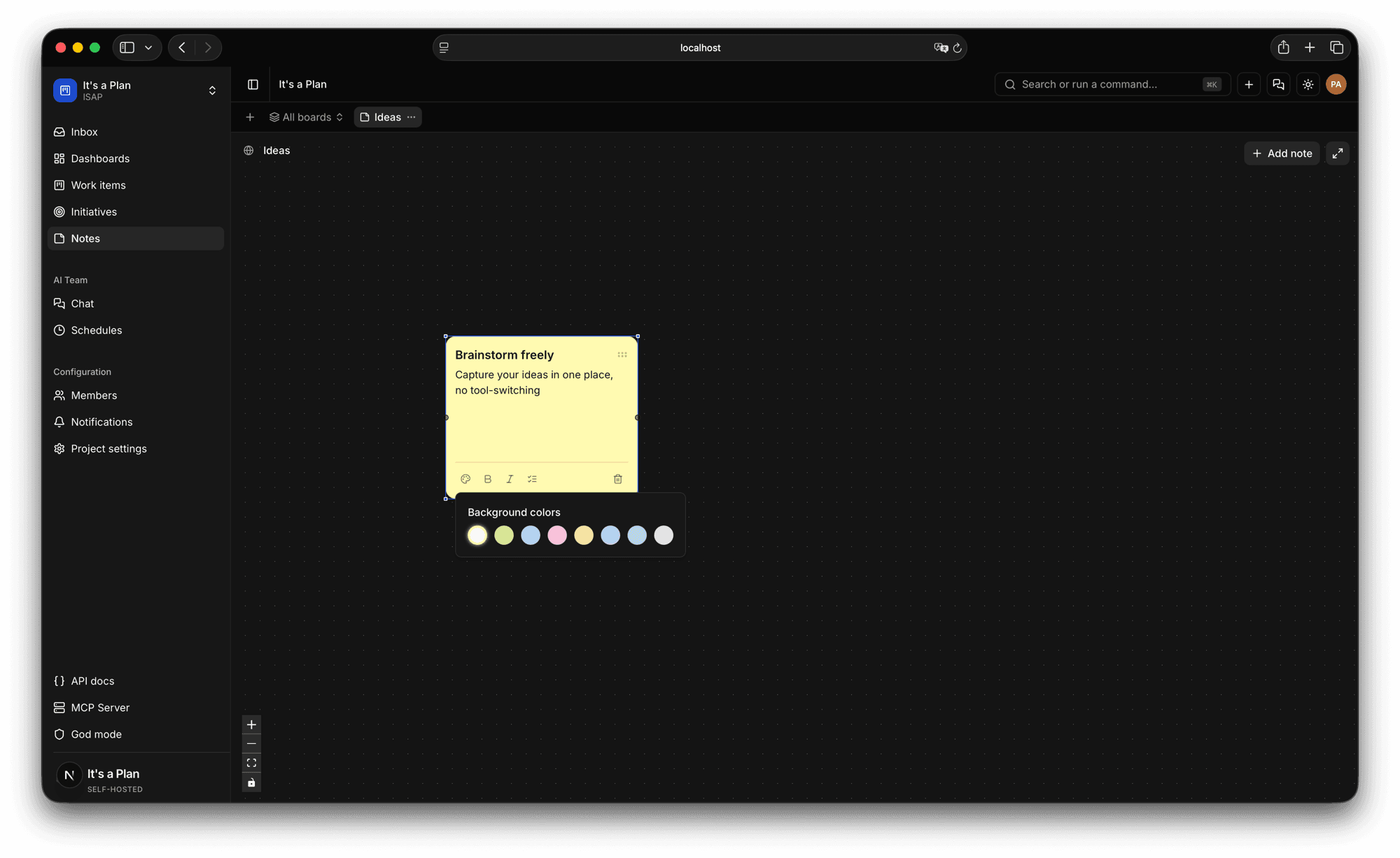
Rich sticky notes
A note has a title and a body, with bold, italic and checklists. Pick its color from eight, and use color to tell groups of notes apart.
- Rich text and checklists
- Eight note colors
- A title and body per note
Brainstorm freely
Capture your ideas in one place, no tool-switching
Background colors
Connect the ideas
Draw a line between two notes to show one follows from the other. A pile of stickies becomes something you can read.
- Link notes with connectors
- Map how ideas relate
- Rework as thinking changes
Fewer status pings
Weekly digest
Stale issue nudge
The rest of it
Boards per project
Keep several named boards side by side.
Visible to the team
Every board is shared across the project.
Color coding
Group notes by color at a glance.
Fullscreen canvas
Expand the canvas to the whole window.
Start planning
on your own terms
Self-host it today and have your team tracking work by tonight.