An initiative is a goal with the work under it
An initiative in It's a Plan (itsaplan.dev) groups issues under one goal. It has an owner, a priority, a target date and a health status, and its progress counts the issues under it by state. The timeline shows time elapsed next to work done, so you can tell early whether the date will hold. Initiatives move through proposed, planned, active and completed.
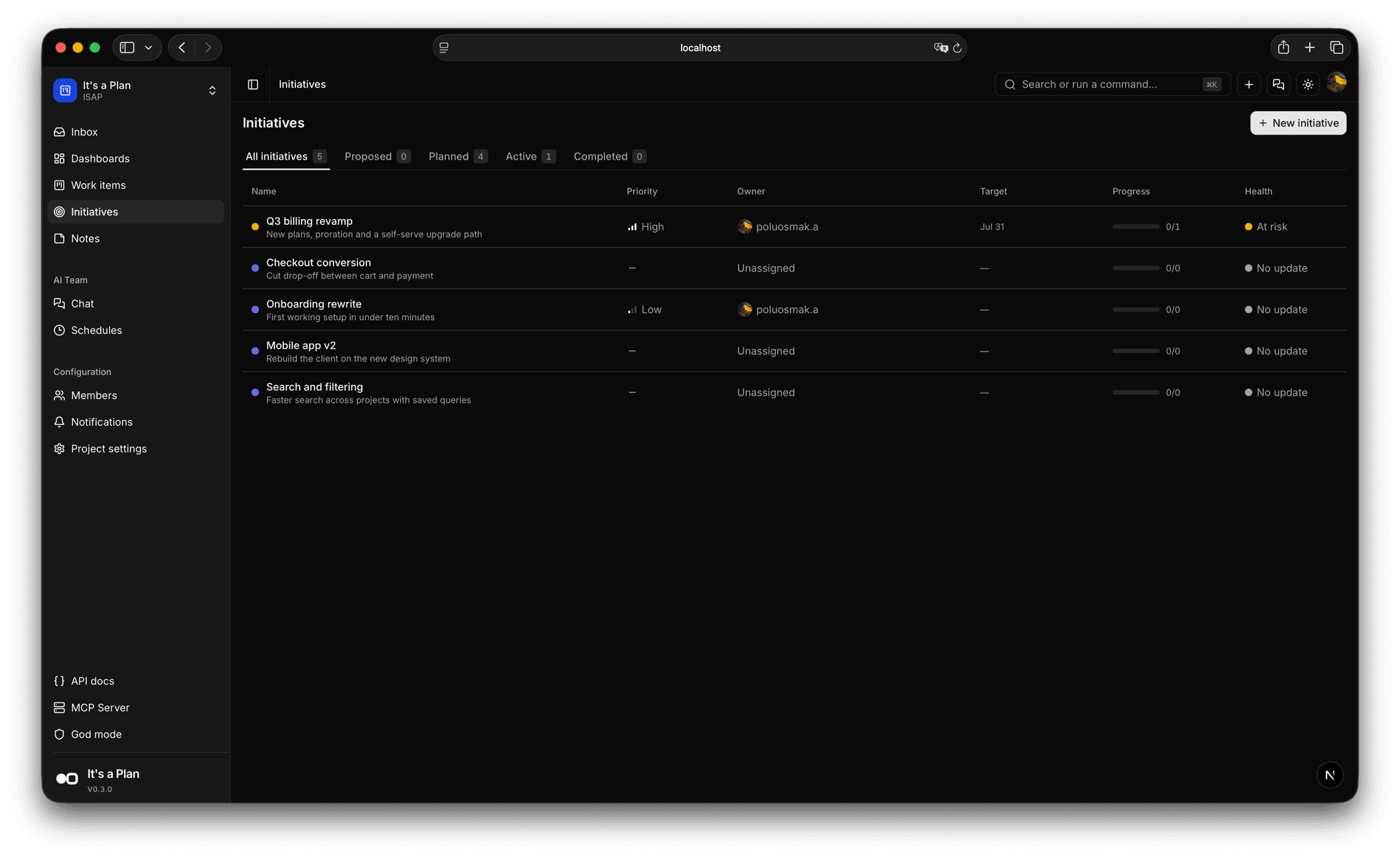
Group issues under a goal
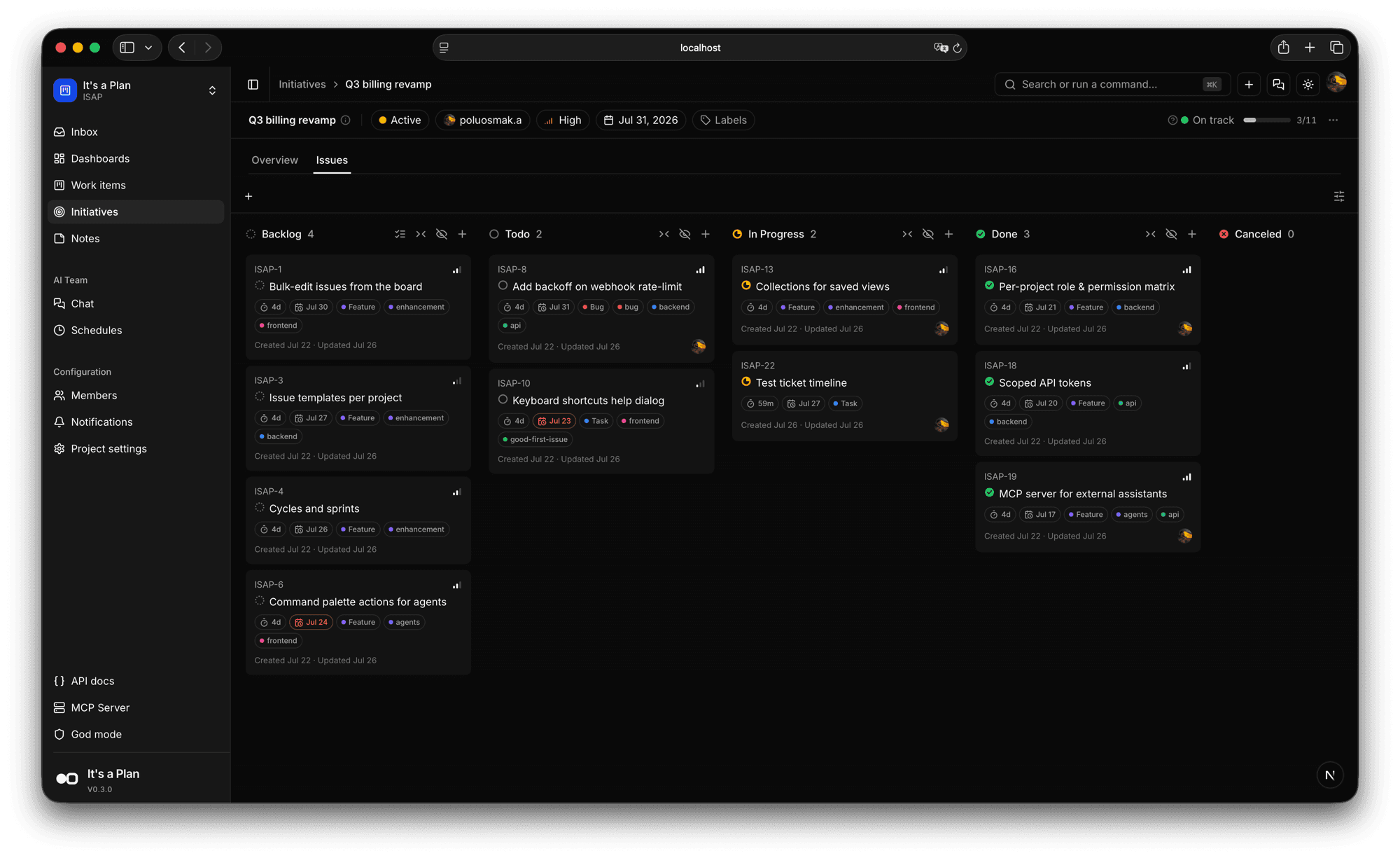
Link issues from anywhere in the project to an initiative. They stay on the team board and also line up here by state, so the goal gets a board of its own.
- Link issues from across the project
- Its own board, by state
- Issues stay where the team works
The whole goal on one screen
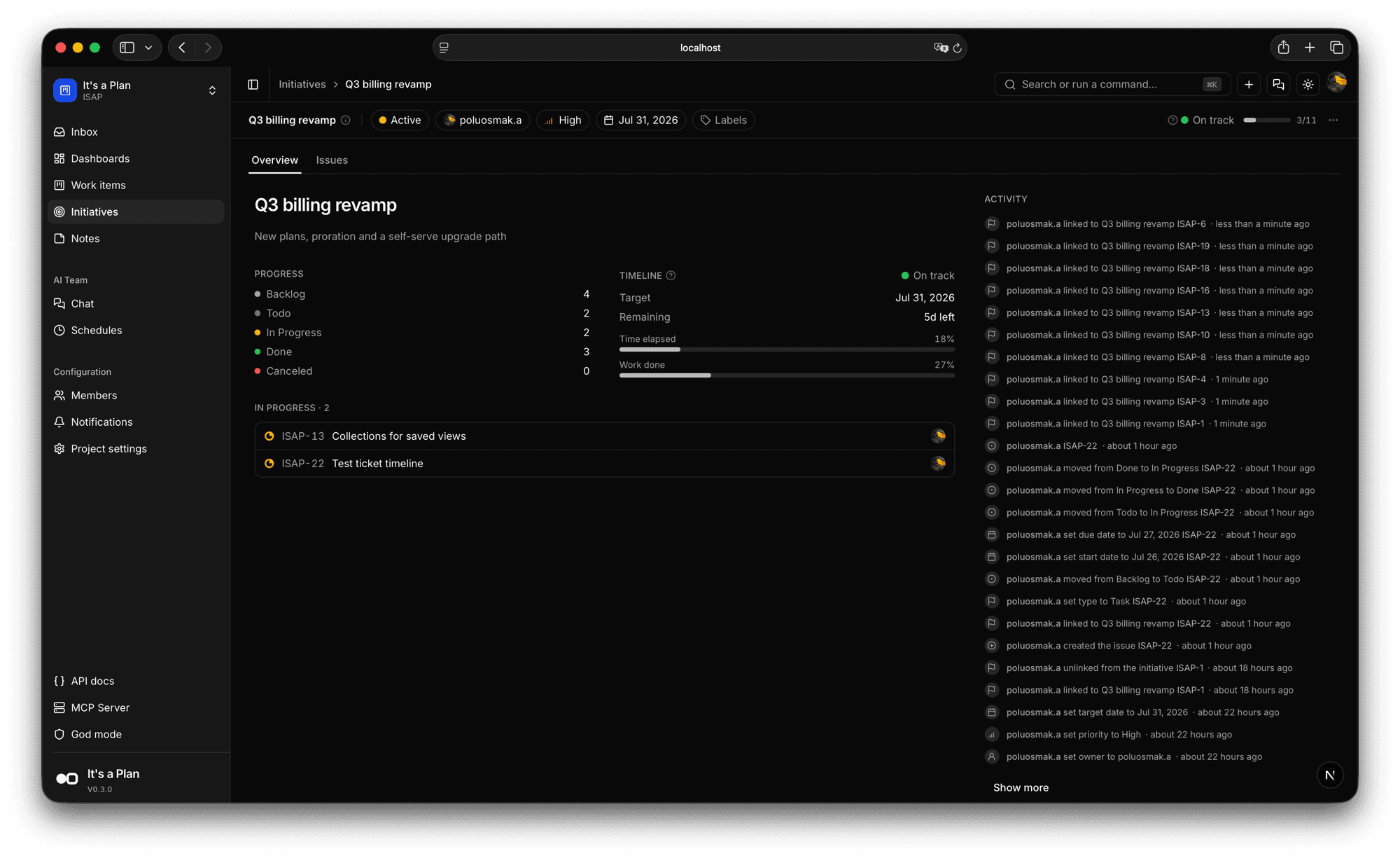
The overview keeps the status, owner, priority and target date in a strip at the top, then how many issues sit in each state, what is in progress right now, and a feed of every change. Progress counts finished issues against the total, so no one types a percentage by hand.
- Status, owner, priority, target date
- How many issues in each state
- Every change in the activity feed
Spot a slip before the date
The timeline shows time elapsed next to work done. 18% of the time gone and 27% of the work finished means you are ahead. When it flips, you see it while there is still room to react.
- Time elapsed against work done
- Health: on track, at risk, no update
- Days left to the target
The rest of it
Above the board
Plan at goal level, not issue by issue.
Auto progress
Progress follows the issues under the goal.
Target date
The date, and how many days are left.
Activity log
Every link, date and status change in one feed.
Start planning
on your own terms
Self-host it today and have your team tracking work by tonight.